
WE88 App Malaysia: Android APK, iOS And Mobile Access Guide
On this page
Compare WE88 mobile browser access with Android APK and iPhone options. This is a setup and source-checking guide; it does not host an APK or certify a current app-store listing.
WE88 App Overview
Browser Play First, App Second
The source brief references mobile browser, Android and iOS access. Check browser compatibility and the account address first. This guide has not confirmed a current downloadable app or that every feature works on every device.
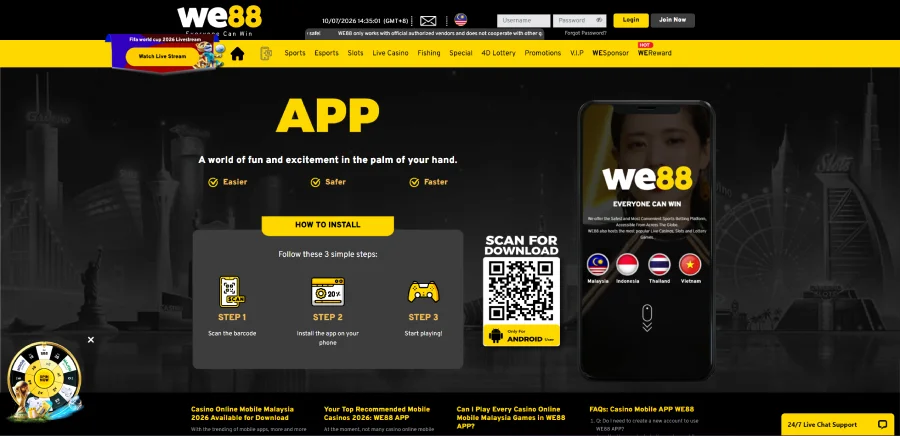
What The App Covers
Check the products and payment options shown in your own account on that device. This guide has not confirmed feature parity between desktop, browser access and any downloadable app.
| Method | What it is | What to confirm |
|---|---|---|
| Android or iPhone browser | Access through a website without installing an app package | Account address, browser compatibility and connection |
| Android APK | An Android installation file, if one is currently offered | Download source, publisher, requested permissions and device compatibility |
| iPhone Home Screen shortcut | A shortcut or web app added through Safari | The website being saved; this is not proof of an App Store listing |
WE88 Android APK Checks And iPhone Access
Before Downloading An Android APK
An APK filename or WE88 logo does not establish who published a file. If an Android download is offered, confirm the source through an account address you have independently verified. Check the publisher information, compatible Android version and permissions before deciding whether to install it. This guide has not verified a current APK version or file checksum.
- Confirm the sourceUse your established account or support channel to check the download address, rather than a file forwarded in a chat.
- Review the installation promptCheck what the app requests. Do not continue if the publisher or requested access is unclear.
- Keep device protection enabledDo not bypass a harmful-app warning to finish installation. Use browser access while you investigate.
Google explains how Android checks potentially harmful apps in its Android app download guidance.
iPhone And iPad
An Android APK cannot be installed on iOS. For browser access, open the independently confirmed account website in Safari. On iPhone, you can use Safari's Share options to add a website to the Home Screen; the exact menu depends on your iOS version. See Apple's Home Screen shortcut instructions. A shortcut does not establish that a native WE88 iOS app is available.
Browser Play With No Download
Why This Matters
Not needing a download lowers the barrier to trying the platform and avoids storage concerns on older phones. Try an updated browser on a confirmed account address; compatibility and available features may vary.
Browser Setup Steps
- Open the confirmed account addressUse an updated browser and check the full address before entering account details.
- Sign in using your existing accountFollow any verification step shown. Read the WE88 login and password-reset guide if access fails.
- Check your account optionsAvailable games, promotions and payment methods can differ by account and device.
Mobile Casino, Sportsbook And Esports
Check which casino, sportsbook and esports options are shown on your device. A category described in this guide does not establish current mobile availability.
Mobile Payments And App Safety Tips
Mobile Payments
Check deposit and withdrawal options separately in your account. A mobile interface or QR deposit option does not establish the same withdrawal method. See the payment checks.
App Safety Tips
- Only download app files from the official WE88 domain
- Avoid APK links shared through unofficial channels or social media
- Keep your device's operating system updated for basic security patches
- Never share your login credentials or OTP, even inside the app
If Mobile Access Is Not Working
Check your connection and browser updates first. If sign-in repeats, review cookie settings and saved credentials before reinstalling anything. An account restriction needs support review rather than a new APK. Record the error message and device model, then use your established contact channel; our customer support guide explains what information to prepare.
WE88 App Malaysia FAQ
Does WE88 have a downloadable app?
The source brief references Android and iOS access, but this guide has not verified a current APK or App Store listing. A web shortcut is different from a native app. Confirm any download source, publisher and requested permissions through an independently established account channel before deciding to install.
Can I play WE88 without downloading anything?
The source brief references browser access, which can avoid installing an APK. Confirm the account address and check compatibility in an updated browser. This guide does not establish that every game or payment feature works on every device; use the login troubleshooting steps if access fails before considering a download.
Is the WE88 app safe to install?
This guide has not tested or certified an APK. An official-looking logo or website alone does not prove a file is safe. Confirm the source, publisher, compatibility and permissions, keep device protection enabled and stop if a harmful-app warning appears. Browser access may avoid an unnecessary installation.
Can I deposit and withdraw through the WE88 app?
Check the methods actually displayed in your account on that device. This guide has not confirmed parity between desktop, mobile browser and any downloadable app. Deposit and withdrawal options must be checked separately, including account-name rules, limits, fees and any bonus conditions.
Responsible gambling reminder: Gambling can be harmful if it stops being entertainment. WE88 content on this site is for players aged 18 and above. Set a budget before you play, and read the Responsible Gambling page if you need support.